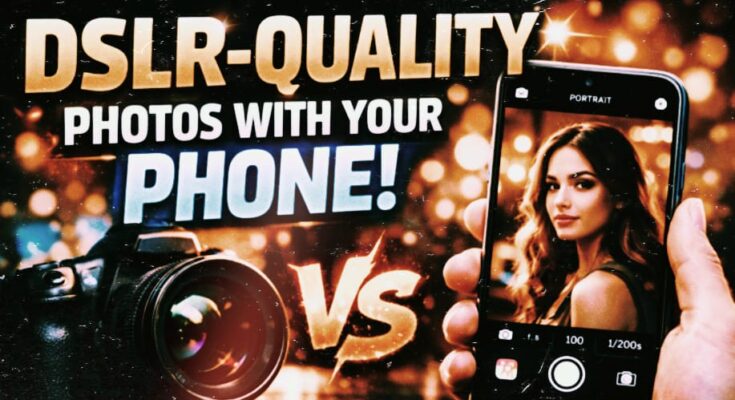
In 2026, smartphone photography has reached a new level. People are now choosing to take professional photos with their phone cameras instead of buying expensive DSLR cameras. High-quality images have become essential for social media content creation, freelancing photography, and online businesses. Everyone wants their photos to be sharp, the background blurred, and the colors to look natural and premium. Fortunately, modern smartphones today have powerful camera features that help deliver DSLR-like results. With the right settings and techniques, you too can capture DSLR-level photos with your phone.
Why This Feature/Technology Works Better in 2026
Smartphone camera technology has advanced significantly in 2026. Phones now feature large camera sensors, AI-powered image processing, and advanced night modes. Previously, only DSLRs had manual controls, but now it’s possible to control ISO, shutter speed, focus, and white balance in smartphone camera apps.
High-megapixel sensors, along with optical image stabilization and periscope zoom, have further improved photography. Portrait mode has also become more accurate, making background blur appear natural. 5G internet and cloud editing tools have also made work easier for creators. Nowadays, people are using mobile photography for YouTube thumbnails, Instagram reels, and freelancing projects.
This means that in 2026, smartphone photography is no longer just a hobby, but a profitable skill.
How to Use Phone Camera for Best Results
Step 1: Basic Setup or First Method
First, it’s important to understand your phone camera’s default settings. Open the Camera app and clean the lens. Blurry photos are often caused by a dusty lens. Then, turn on the grid lines so you can follow the rule of thirds. This simple technique gives your photos a professional look.
Use natural light. Soft light in the morning or evening is best. Don’t have the subject stand on the opposite side of the light, otherwise the face will appear dark. Use Portrait mode if you’re taking a photo of a person. Hold the phone steady, hold it with both hands, and avoid unnecessary zoom.
Also check HDR mode. This feature balances bright and dark areas, making the image appear more detailed.
Step 2: Advanced or Pro Method
If you want DSLR-like control, use Pro Mode or Manual Mode. In this mode, you can manually adjust ISO, shutter speed, and focus. On bright days, keep the ISO low to reduce noise. For night photography, increase the ISO slightly, but be sure to use a tripod.
Keep the shutter speed fast if the subject is moving. Use a slow shutter if you want to capture light trails or creative shots. Manual focus allows you to capture the subject in perfect sharpness.
Taking photos in RAW format is also a pro tip. RAW provides more flexibility for image editing. Colors and details can be greatly enhanced after editing.
Professional Tips to Get DSLR-Level or Pro Results
DSLR-like results come from technique, not just the camera. Focus on framing first. A clean and simple background makes a photo look more premium. Maintain a distance between the subject and background to create natural depth.
Try golden hour photography. This is the time when the sun is about to rise or set. The light is soft and warm during this time, creating a DSLR-like cinematic effect.
Use a tripod or mini stand, especially for night photography. Hand shake blurs photos. Experiment with reflection shots, shadow play, and different angles. Instead of taking photos straight on, try angles from a little lower or higher.
Editing is also very important. Avoid over-editing. Balance exposure, contrast, and sharpness. Maintaining natural skin tones is a hallmark of professional photography.
Best Settings, Apps, or Tools (If Applicable)
Many smartphones today, such as the Samsung Galaxy S series, iPhone Pro models, and Google Pixel phones, come with advanced camera systems. These devices have built-in Pro Mode and advanced HDR, which aid in DSLR-style photography.
Adobe Lightroom’s mobile version is quite popular for editing. It allows for professional-level color grading and light adjustments. Snapseed is also a simple and powerful app that’s ideal for beginners. If you want to improve background blur, use portrait editing tools that allow for depth control.
Accessories like an affordable tripod, external clip-on lenses, and a ring light can take photography to the next level. But remember, lighting and composition are the most important things, not just accessories.
Common Problems and How to Fix Them
Beginners often face the issue of blurry photos. The solution is to keep the phone steady and avoid movement when pressing the shutter button. Noise is also a common problem in low light. Use night mode or a tripod to address this.
Overexposed photos occur when there is too much light. Lower the Exposure slider a bit. The problem of unnatural colors occurs during editing. Make gentle adjustments instead of pushing every slider to the extreme.
Zooming degrades quality. Avoid digital zoom and take photos close to the subject. For focus issues, lock focus on the subject by tapping the screen.
Final Thoughts
In 2026, DSLR-level photography isn’t just limited to professionals. Now, every smartphone user can capture high-quality photos with their phone camera. All you need to do is understand your device’s settings, use the right lighting, and practice a little.
Mobile photography has become a powerful skill that helps with social media growth, freelancing, and personal branding. If you practice consistently and follow the tips above, your phone camera can deliver DSLR-like results.
Start experimenting today, take advantage of natural light, and approach each shot creatively. Professional photography is now in your hands, all you need is the right technique and a little confidence.